
Step by step
How to book your virtual appointment
Eight short steps, from DR Now to your video visit with a Medicine Place physician. Booking happens in Medeo, the clinic's secure system.
About five minutes the first time, less once your account exists.
Start on DR Now and press Continue to secure booking
Open drnow.ca/book. Check the prices: $0 with valid Alberta Health coverage, $75 CAD without. Press Continue to secure booking. Medeo opens in the same tab.
No questionnaire, no account needed on drnow.ca.
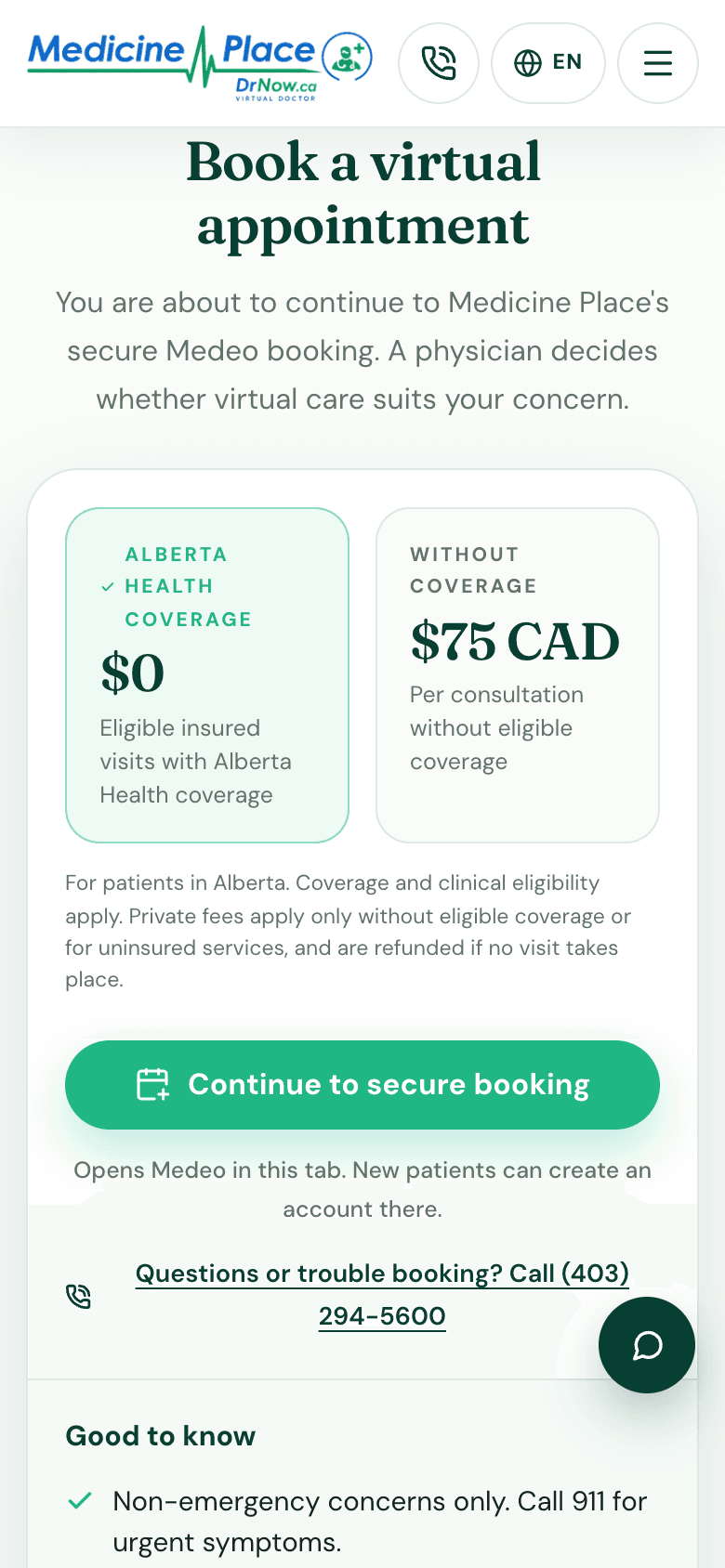
drnow.ca on a phone Pick a provider
Choose one of the Medicine Place physicians. Both are Alberta-licensed; pick the one with the times that suit you. Press Next step.
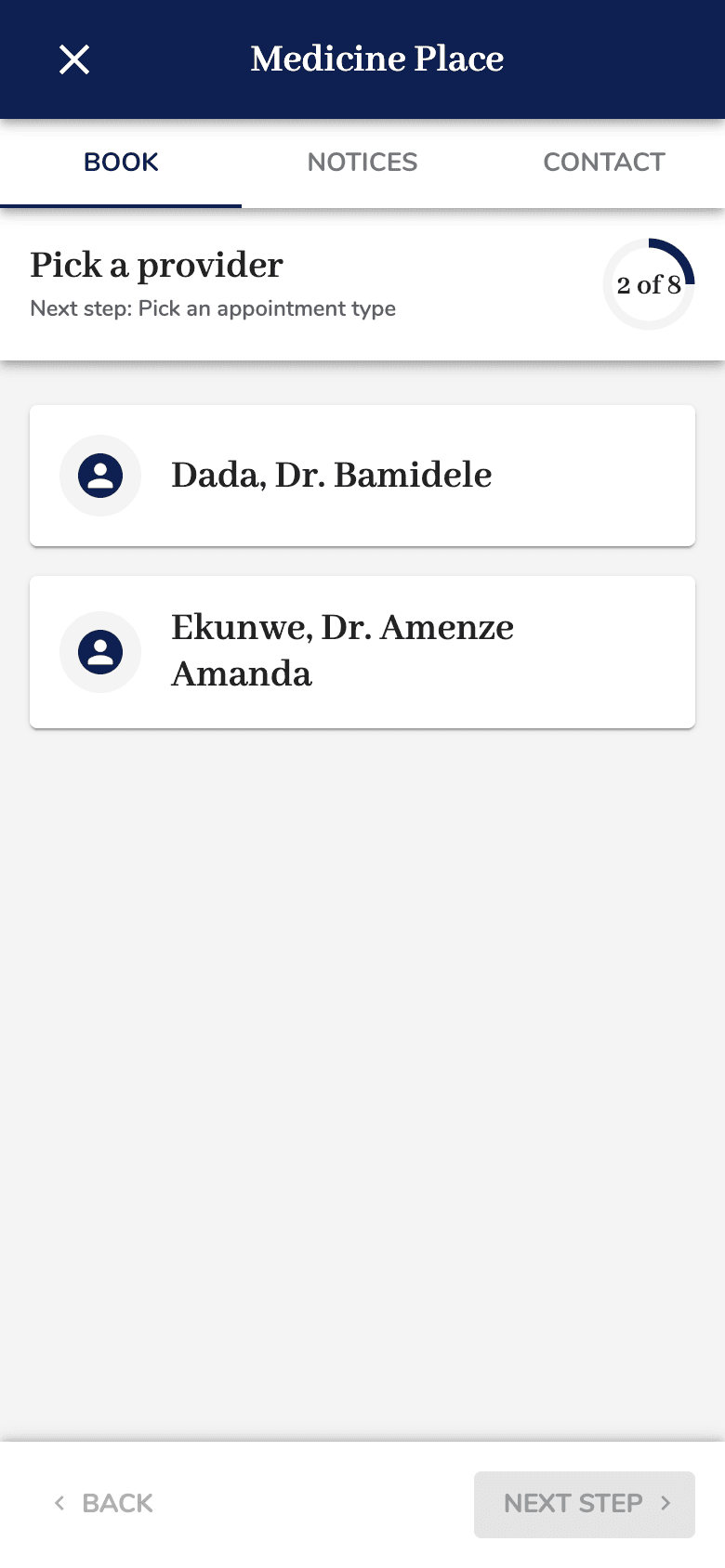
Medicine Place's Medeo booking on a phone Pick an appointment type
Choose the video option (camera icon) that matches your reason: Everyday Care, Men's & Sexual Health, Prescription and Medication Care, Skin Care or Women's Health. The store icon is for in-clinic visits.
Unsure which type? Everyday Care covers most common concerns; the physician adjusts during the visit.
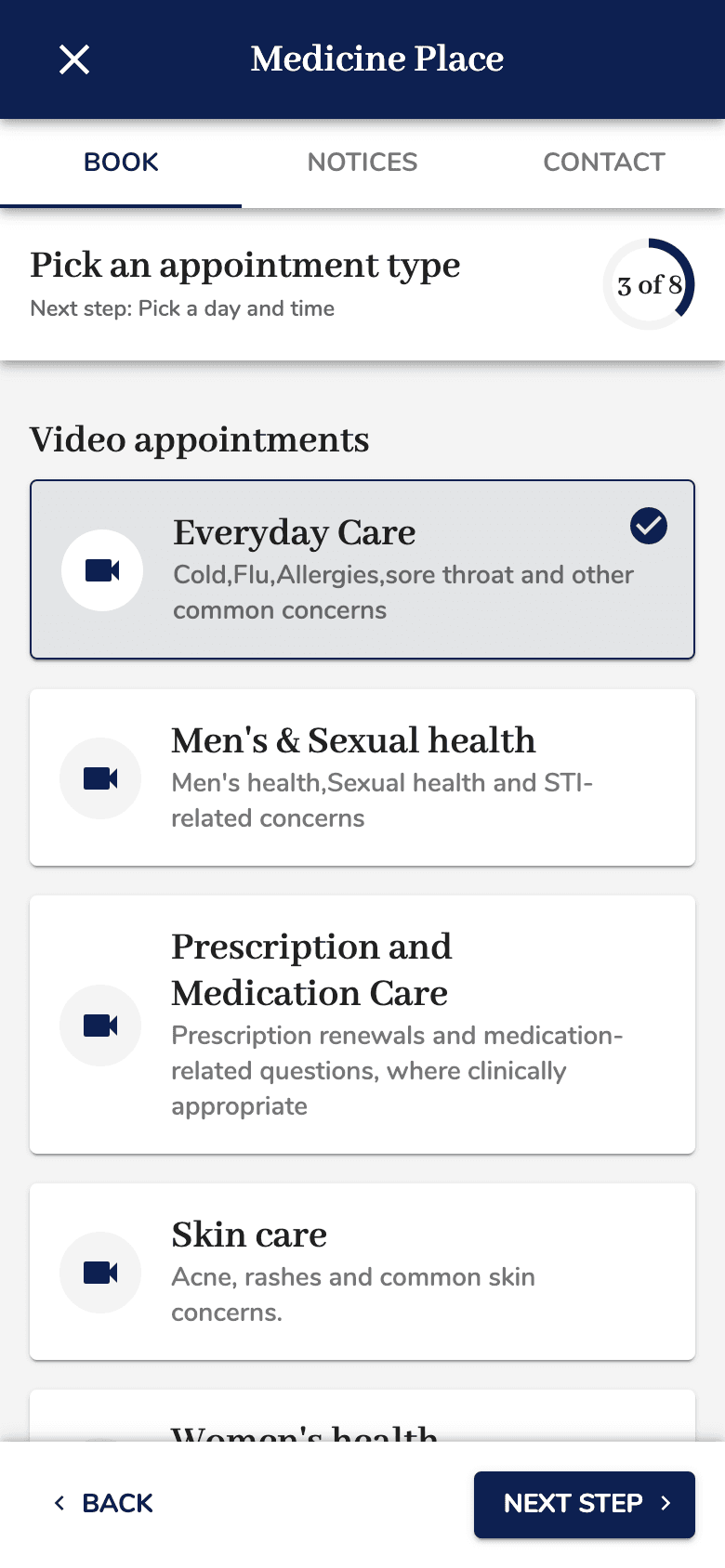
Medicine Place's Medeo booking on a phone Pick a day and time
Open the calendar, choose a day, then a time from the list. Only available slots appear. Press Next step.
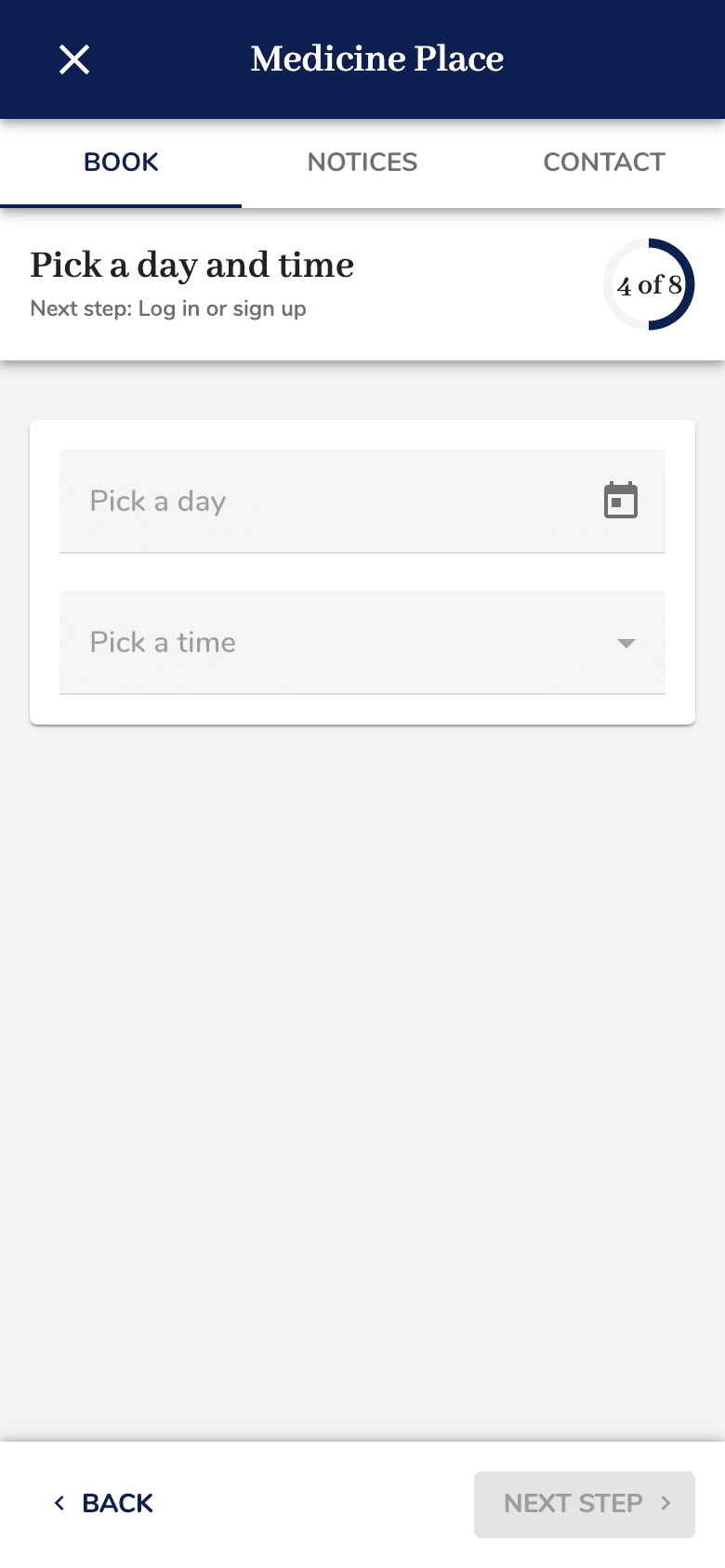
Medicine Place's Medeo booking on a phone Log in or sign up
Returning patients sign in with their Medeo email and password. New patients create a Medeo account: email, password and a verification code sent to your inbox. Keep your Alberta health card nearby for the next step.
Use an email you can open on your phone: the visit link arrives there.
Confirm who the visit is for and why
Confirm your details, say who the appointment is for (you or a dependent) and give a short reason for the visit. This information stays in the clinic's secure record.
Review and confirm
Check the provider, type, date and time, then confirm. Medeo emails a confirmation with the video link and instructions. No charge is taken at this step for insured visits.
Join your video visit
A few minutes before the time, open the link from the confirmation email in a private, quiet, well-lit place. Have your health card and photo ID ready to show on camera. The physician decides whether virtual care suits your concern and explains next steps.
Stuck at any step?
Call the clinic and a person will walk you through it. Do not enter symptoms or health-card numbers anywhere on drnow.ca; those belong in Medeo.
Booking does not guarantee an appointment, prescription or outcome. For urgent symptoms call 911. Not sure virtual care fits? Try the short visit-prep check.